
Headway EHR Features: AI-Assisted Notes, Telehealth and Calendar
Last reviewed: October 30, 2026
Headway started as a way for therapists to accept insurance. Its provider portal, Sigmund, has since grown into a full electronic health record (EHR). Headway says the EHR is free for all providers, whether they see insurance or cash-pay clients. Here is what is included.
Everything in one place
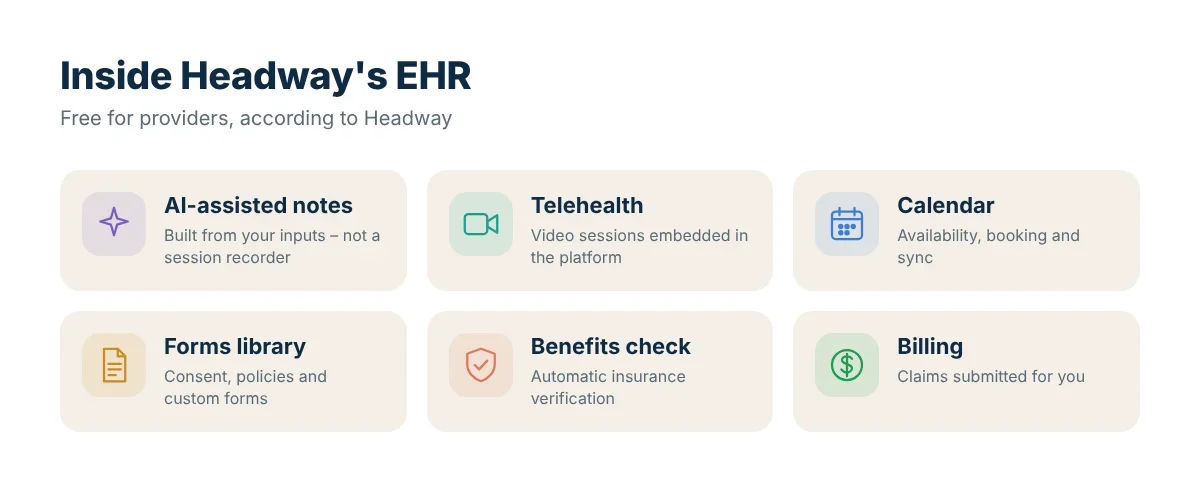
Headway’s expanded EHR brings together:
- Embedded telehealth
- Scheduling and calendar
- Documentation (progress notes)
- Billing and claims
- Client communication
- Automatic benefits verification
- A practice forms library
According to Fierce Healthcare, more than 60,000 providers use the platform across all 50 states and Washington, D.C.
AI-assisted notes
Headway’s AI-assisted notes are not an ambient scribe that records your session. Instead, the tool takes the information you enter and formats it into a note structured the way insurers expect. You can edit the draft before submitting, and the system nudges you about possible errors.
Fierce Healthcare reported that clinicians generated more than 200,000 AI-assisted notes within two months of launch, and note writing on the platform rose 40%.
Good practice with AI notes
- Read every draft carefully; you are responsible for what you sign.
- Make sure the note reflects the actual time, interventions and client response.
- Keep the diagnosis and CPT code consistent with the content.
- For Medicare Advantage clients, use Headway’s Medicare templates.
Telehealth
Video sessions can run inside Headway’s EHR. You may also use another HIPAA-compliant platform. Before every telehealth session, confirm the client’s physical location: it must be in a state where you are licensed and credentialed with that insurer.
Calendar and scheduling
- Set availability so clients only book open slots
- Sync with Google Calendar or Outlook
- Book, reschedule and notify clients
- Confirm completed sessions with codes and notes
Forms library
Templates for informed consent, practice policies and intake, plus custom forms. Send them to clients when you add them in the Clients tab.
Billing and benefits verification
Headway checks a client’s mental health benefits automatically and shows both you and the client an estimated cost per session. After you confirm a session, Headway submits the claim and pays you on its twice-monthly schedule. See how Headway claims work.
Who is the Headway EHR best for?
- Solo clinicians who want insurance billing and an EHR without paying for separate software
- Providers who already get most of their caseload through Headway
- Clinicians who want simpler insurance-style documentation
If you run a large group with complex workflows or need deep customisation, compare it against dedicated practice-management systems.
FAQ
Is the Headway EHR really free?
Headway and Fierce Healthcare describe it as free for all providers.
Does the AI listen to my sessions?
No. Headway’s AI-assisted notes are built from what you enter, not from recording the session.
Can I export my notes?
Ask Headway support about export options before you commit, especially if you may switch systems later.
Sources: Fierce Healthcare – Headway expands EHR with AI-assisted notes, embedded telehealth, Introduction to Sigmund.